Sourcing Simplified: Designing a Chrome Extension to Speed Up Recruitment

Recruiters were wasting time jumping between tabs and tools. I designed an intuitive Chrome extension that lets them capture and save candidate data directly into Flair, cutting manual effort and boosting sourcing speed.

Flair's recruiting chrome extension helps recruiters efficiently manage their recruitment process by saving candidate information directly to their flair account. (Click image to expand)
Information on this project is limited
Flair's recruiting chrome extension helps recruiters save candidate information directly to their flair account without interrupting their workflow.
Recruiters value tools that help them save time and streamline their workflow. With the flair recruiting extension, users can add promising talent and candidates into their flair recruiting app directly from the chrome browser. You can find the plugin on the chrome web store here.

I was the sole UX designer and responsible for leading the project. My contribution was in research, UX design and product management.
Team
Kikelomo Blavo (Me) UX/Product Designer & Project Lead
Maher Khdeir - Full Stack Engineer
Tools
Figma, Illustrator, Notion, Linear
Release Date
February, 2023
So, what was the problem?
  • Adding to their talent pool, making connections, and saving candidate data are all important parts of a recruiter’s daily business and It is a time consuming effort.
  • It is stressful having to navigate through multiple apps to manually save candidates/talents details into the flair recruiting app
What we want to achieve
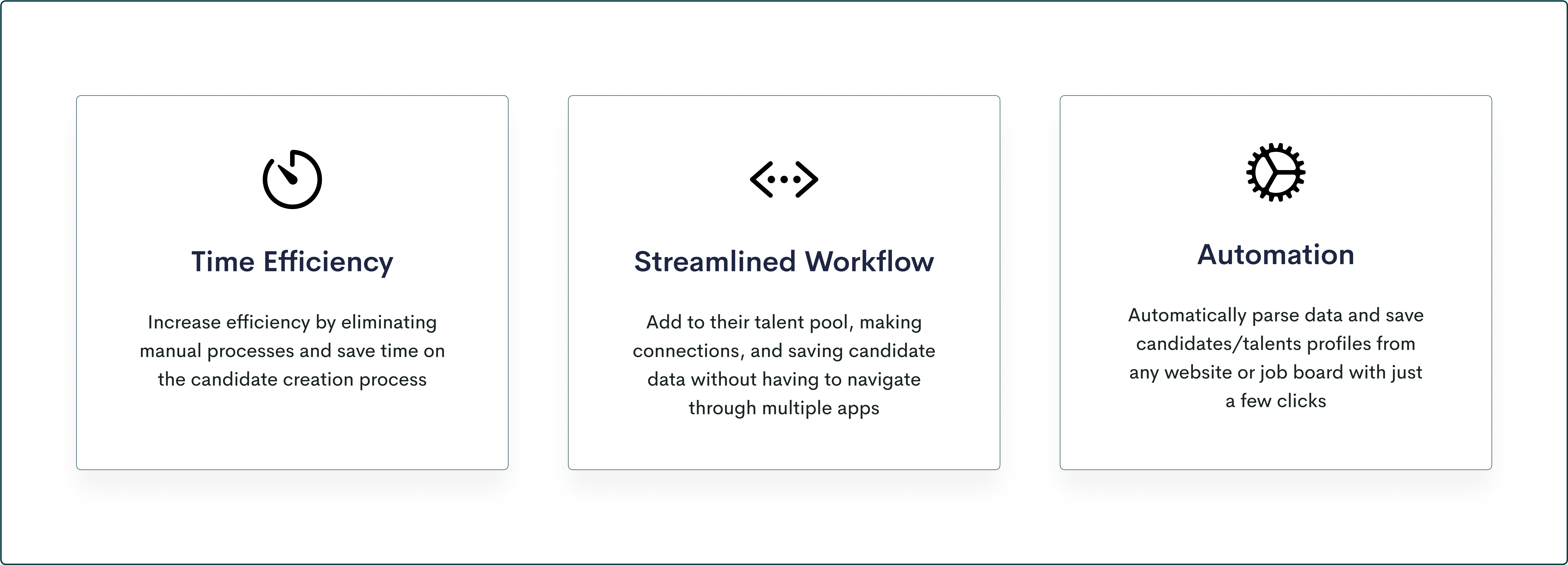
  • Increase efficiency and save time by allowing recruiters easily parse data and save candidates/talents from any website or job board
  • Make the candidate creation process simple with just a few clicks to avoid interrupting their workflow
Insights
I began the project by first analyzing our user's feedback as we had already received some requests for this feature. Then I followed up with conducting interviews with a selection of recruiters to better understand their current recruitment processes and tools. Some of the main questions asked include:
  • How do you source for potential candidates for an open position?
  • How much time do you usually spend sourcing for potential candidates online?
  • What specific information do you look for when reviewing a potential candidate's profile?
  • What is your current process for importing candidate information into the flair recruiting application

This revealed several key insights about recruiters' needs and expectations, highlighted below are the major insights:
Keeping the experience simple
It was important for me to ensure that I followed standard design principles and make sure that the experience I create was one that offers flexibility, support, and guidance for recruiters and not dictating their experience. I wanted to design all parts of the experience to be as contextual as possible, and that means If it's not absolutely necessary to show something at a given moment, we would not show it.

Click image to Expand
I designed a prototype of the chrome extension, basing my design decisions on insights gotten from my basic research and addressed the identified issues. It was important to show a seamless and straightforward process, so with just a few clicks, our users can quickly parse candidates' data into their flair app, thereby saving time on the candidate creation process.

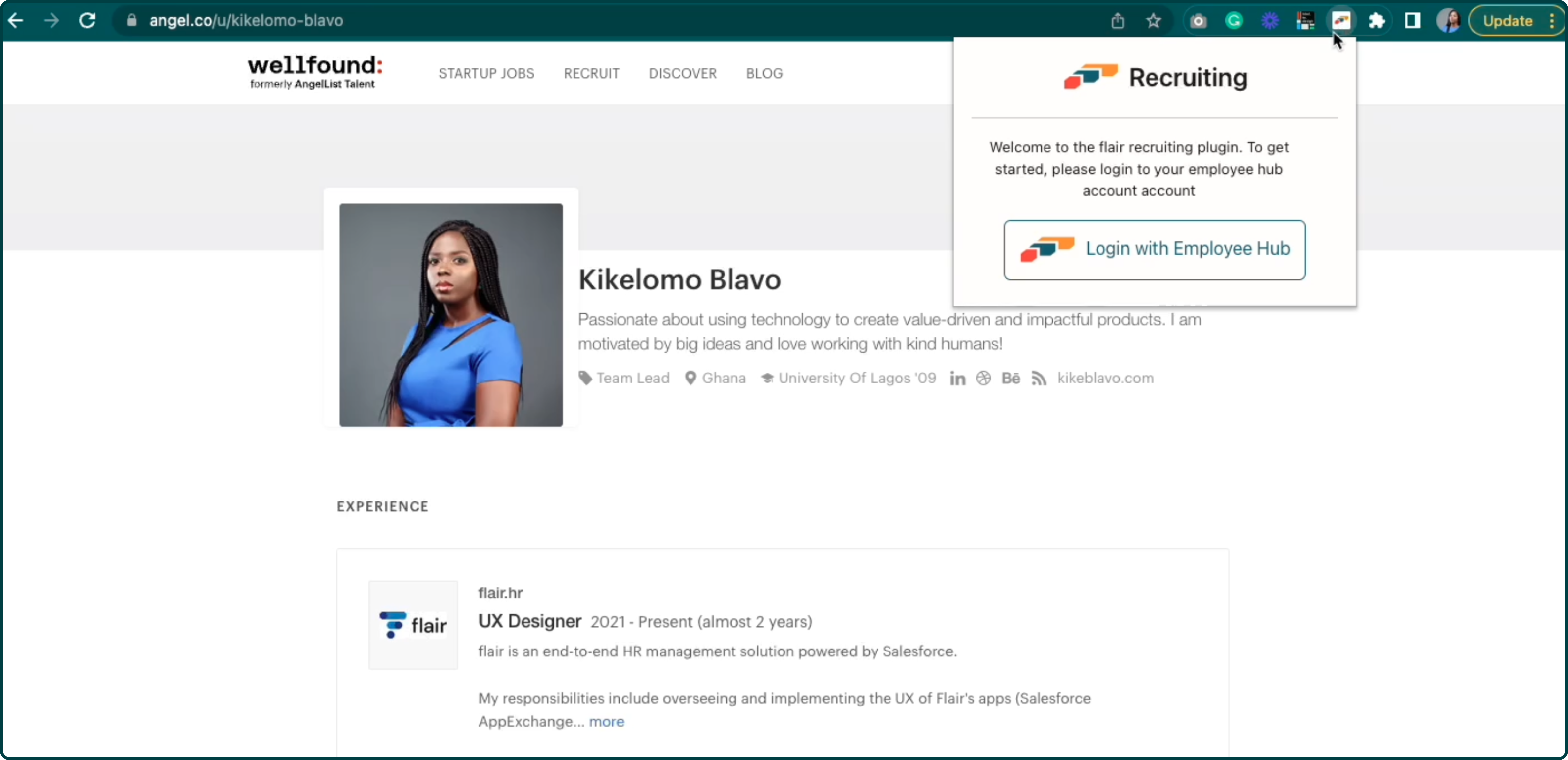
Simple Login/Set Up
No unnecessary sign up process, once the plugin has been installed recruiters only need to login with their employee hub account that is associated with their salesforce flair recruiting app.

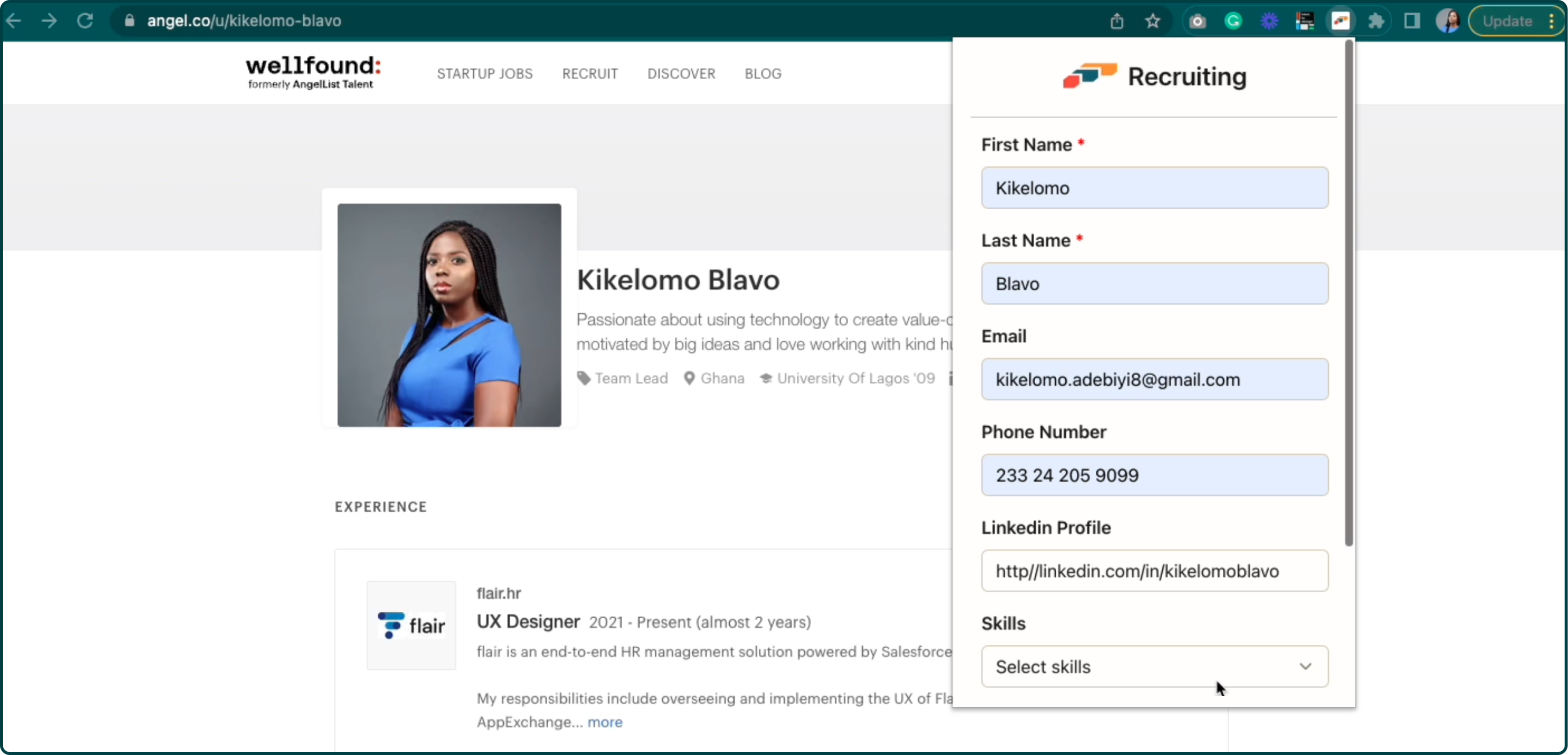
Candidate Data Parsing
Recruiters can save candidates/talents and extract their details into their flair recruiting app in salesforce with just a few clicks click, without having to leave their browser or interrupt their workflow.

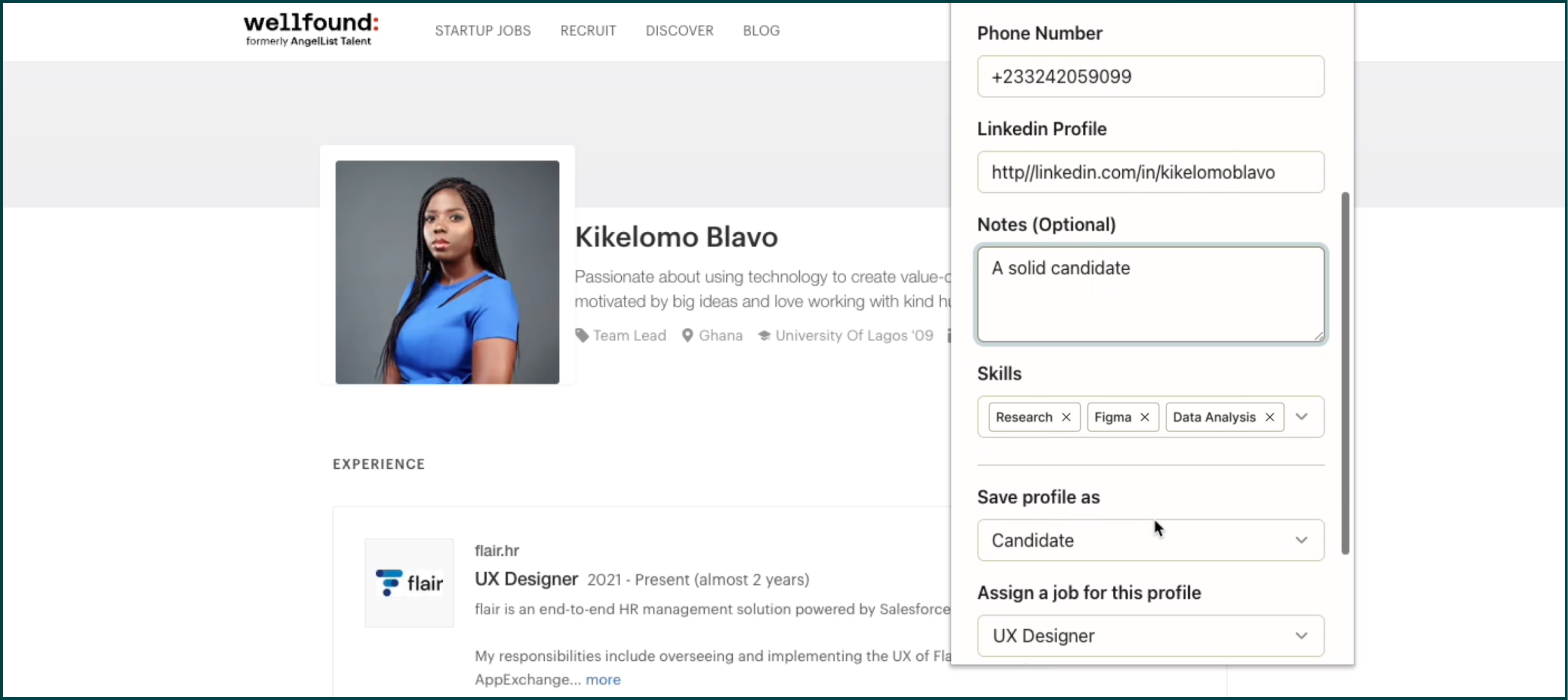
Add Skills and Notes
Recruiters can also extract any skills or certificates attached to the potential candidate or talent and saved under the their profile in the flair recruiting app in salesforce. They can also add any additional info in the notes section and save them along with the candidate’s profile.

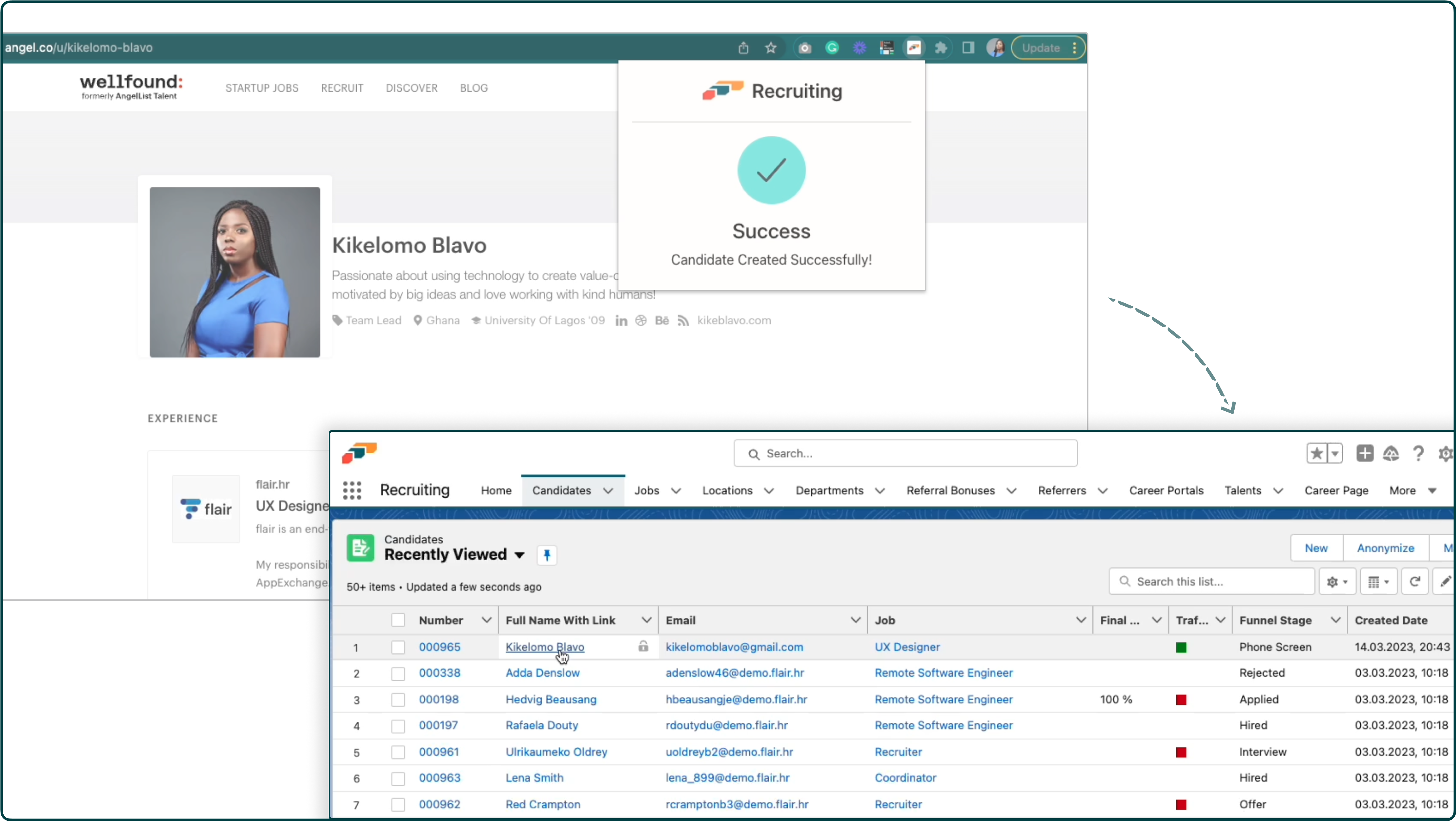
Candidate Creation
Saved candidates profiles and all their data will automatically be pulled into the flair's recruiting web app in salesforce within seconds, saving the recruiter time and streamlining the candidate creation process.

Source Talent From Anywhere
You can use the chrome extension on any website online. While automatic parsing is only compatible with some websites, you can still use the extension by adding the talent or candidate's details manually – they will still be saved directly to the flair Recruiting app, saving the recruiter from having to log into Salesforce.

Constraints and Iterations
During the course of designing the extension, there were some technical and business constraints that we stumbled on:
  • Some websites are not compatible with our automatic parsing
  • Linkedin has a policy put in place over unauthorized scraping of member data, this was an important setback for us because Linkedin is the most popular platform used by recruiters and hiring managers to source for candidates.
Based on this new information, we made a few changes and decided to focus on releasing a simple version of the extension with a few workarounds for these constraints:
  • Allow the option for the user to manually fill the form and save candidate
  • Advice users to manually add candidate profiles when using the extension on Linkedin
Brain storming on a work-around for the technical constraints of the chrome extension
Final demo of the chrome extension to stakeholders
Testing
At flair, we practise dogfooding. We use our product as regularly as we expect our customers to, that way we get to live their experience of the product to work out bugs and evaluate the quality prior to its release. I opted for an internal beta testing, I wanted to use the flair team to view our product from the perspective of customers or clients, and by extension, ensure that our user experience is exactly as we want it to be. I had 6 people to test out the extension (4 team leads and our people manager who is in charge of flair's hiring processes) Test cases validated that:
  • The candidate creation process was simpler and faster
  • It definitely helped save time because they didn't have to navigate through multiple apps to manually save a profile
However, there were some issues encountered where the extension could not extract certificates from the potential candidates profile. This was another technical problem we encountered during the testing phase. Our solution was to release the MVP of the extension as planned but without the option to extract certificates from profiles. This was decided to give our engineering team enough time to find a workable solution for our next iteration.
Outcome
MVP requirements, design and implementation were completed within the space of 4 months. There were quite a few minor changes that were addressed and updated based on new information. Real user feedback was generally positive and there was a huge adoption and usage of the chrome extension
The demo video shows the process of parsing a candidate's data into the flair recruiting app in salesforce